Available now
Daycare & education
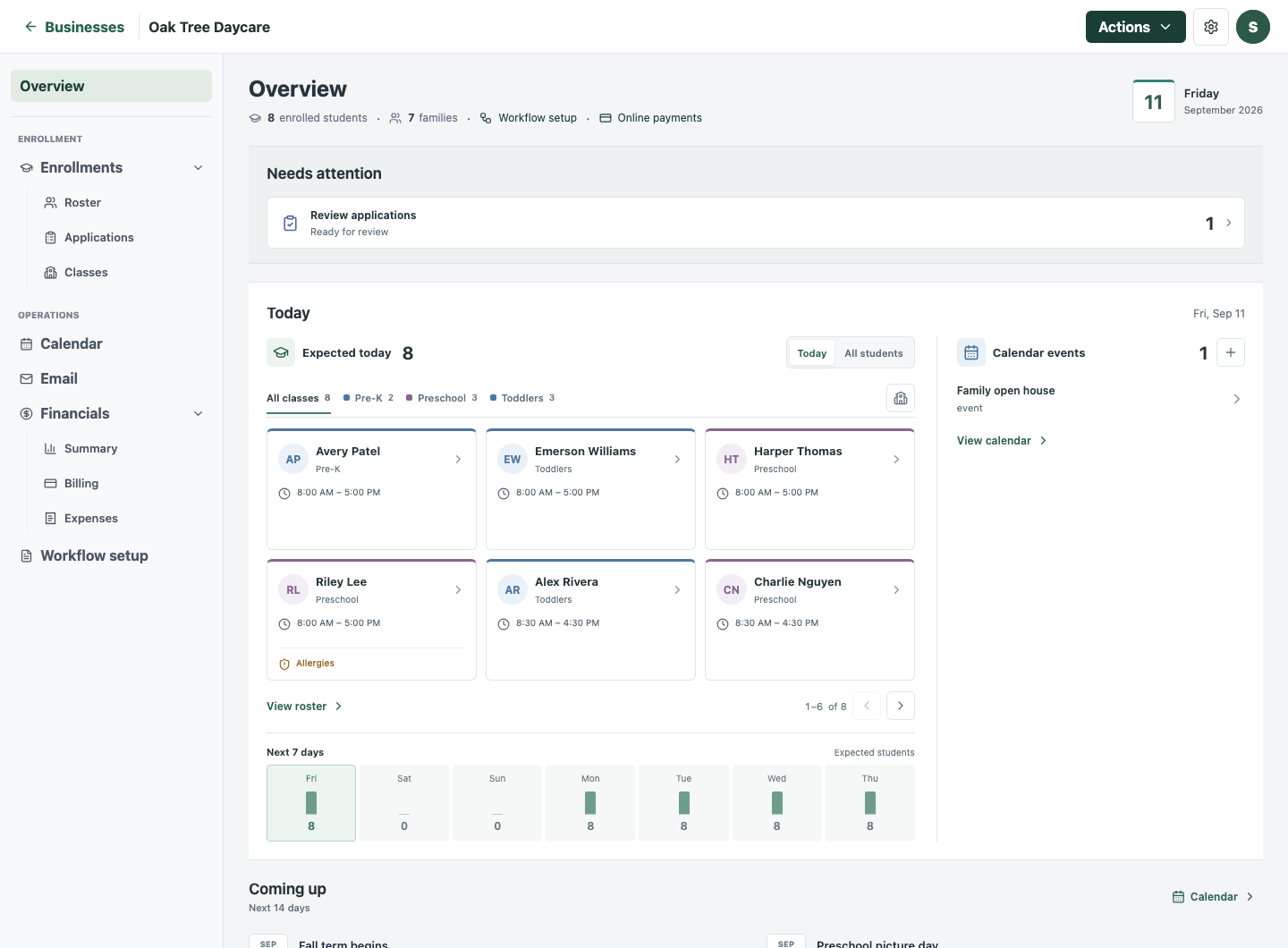
Families, student records, enrollment, and tuition. Keep the daily roster connected to the paperwork behind it.
Explore daycareBusiness tools for daycare & rentals
Enter it once. Keep work moving.
Custom applications, reusable documents, and connected billing. A familiar workspace for your daycare and rental businesses.
Free to start. One account for your businesses.
Two businesses. The same way to work.
Switch businesses without relearning the layout. Each workspace has its own records, language, and setup.
Families, student records, enrollment, and tuition. Keep the daily roster connected to the paperwork behind it.
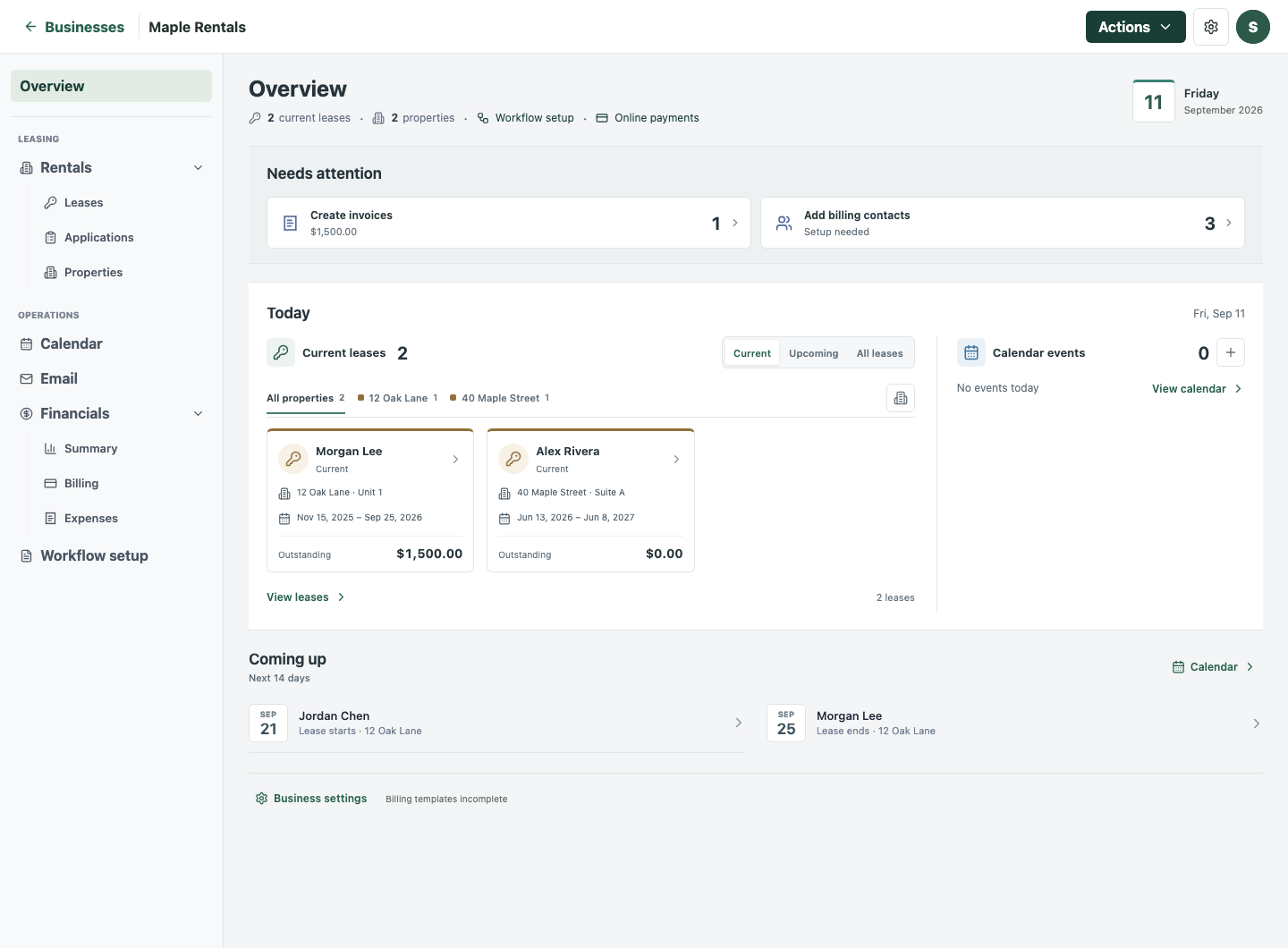
Explore daycareProperties, tenants, leases, and rent. Manage new applications alongside current leases and historical records.
Explore rentalsInside EverydayTerms
Connect the details you collect to the documents and day-to-day work that follow.
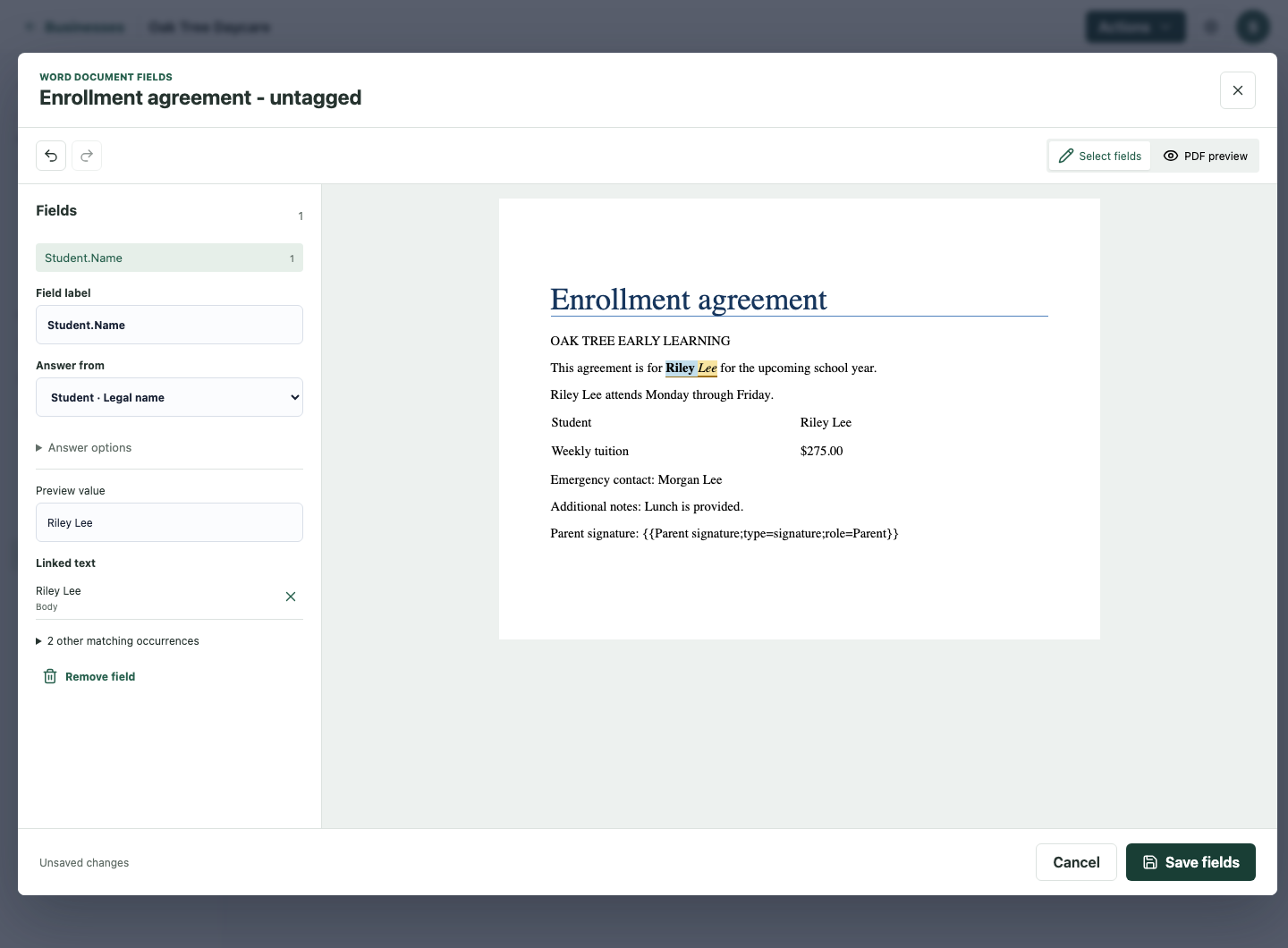
Upload a Word document, highlight the text that changes, and connect it to saved information. EverydayTerms substitutes the right details when you prepare the next agreement.
 Enlarge
Actual EverydayTerms screens · Fictional demo records
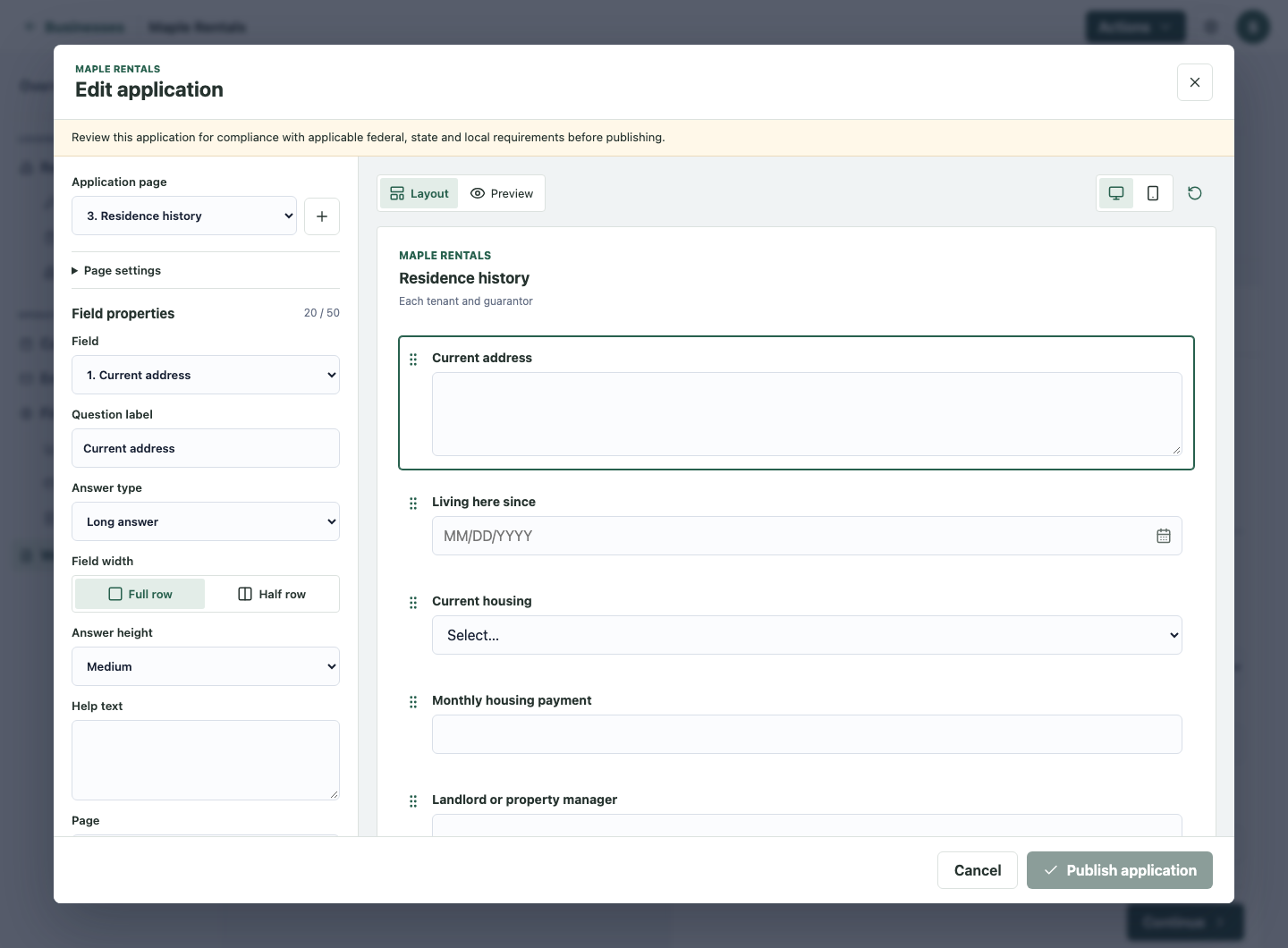
Arrange fields with drag and drop, change their width, and add your own questions and pages. Walk through the applicant’s preview before publishing.
 Enlarge
Actual EverydayTerms screens · Fictional demo records
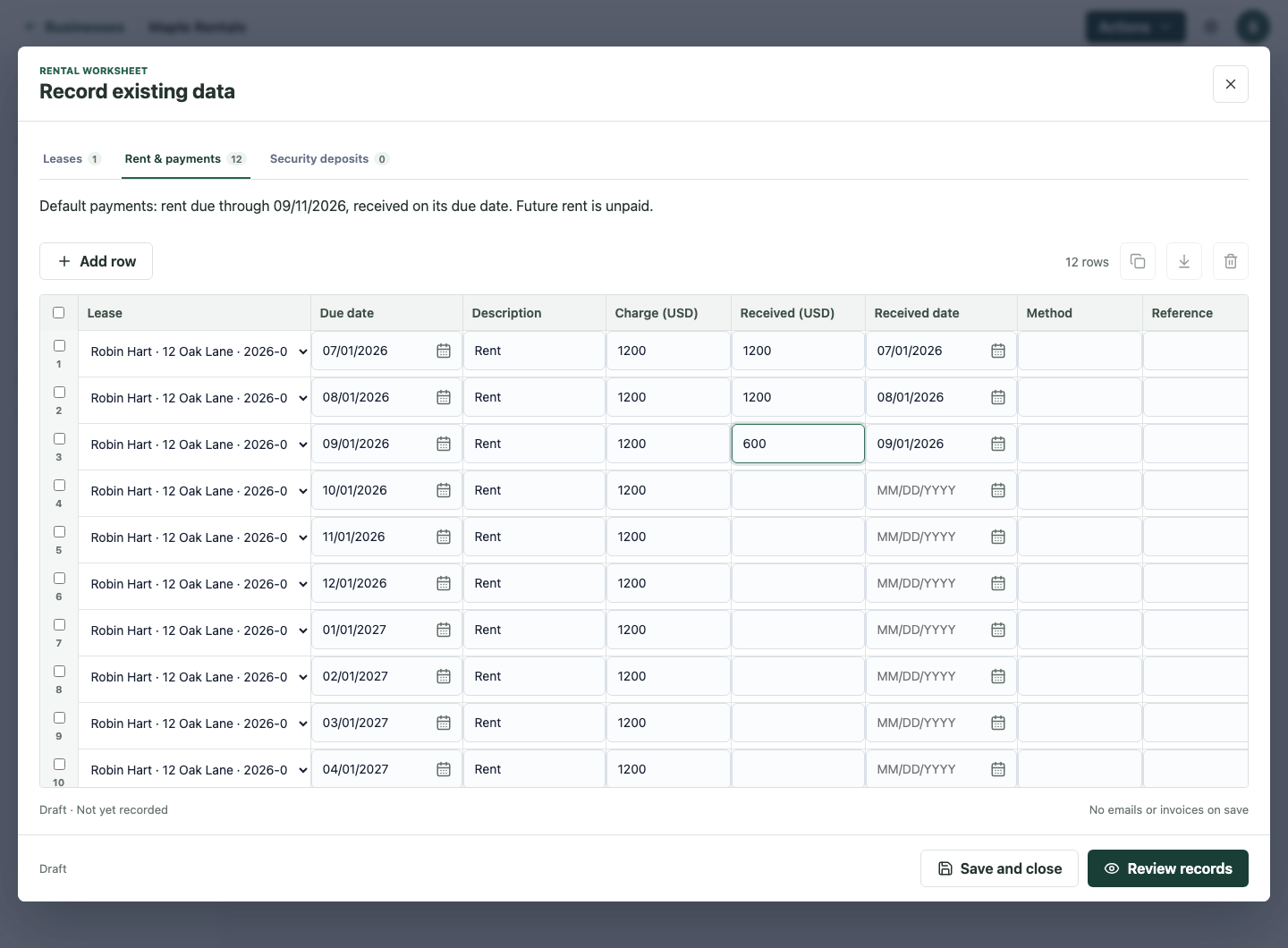
Enter or paste leases into a familiar table. Lease dates and rent fill the monthly rows for you. Adjust payments and deposits, then review the batch before saving.
 Enlarge
Actual EverydayTerms screens · Fictional demo records
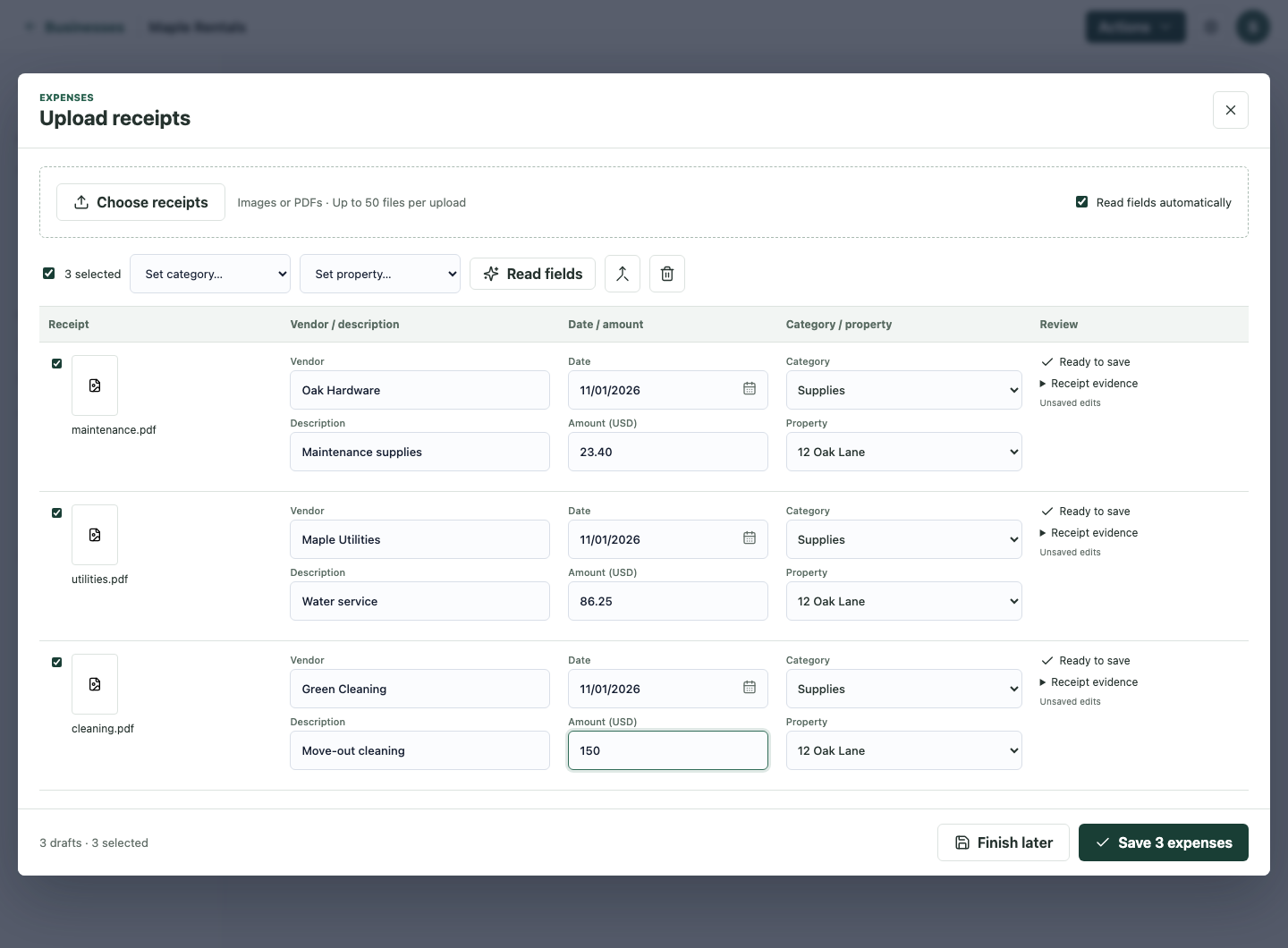
Upload several receipt images or PDFs together. With Basic, AI suggests the details; you check the amounts, assign categories, and save the expenses you choose.
 Enlarge
Actual EverydayTerms screens · Fictional demo records
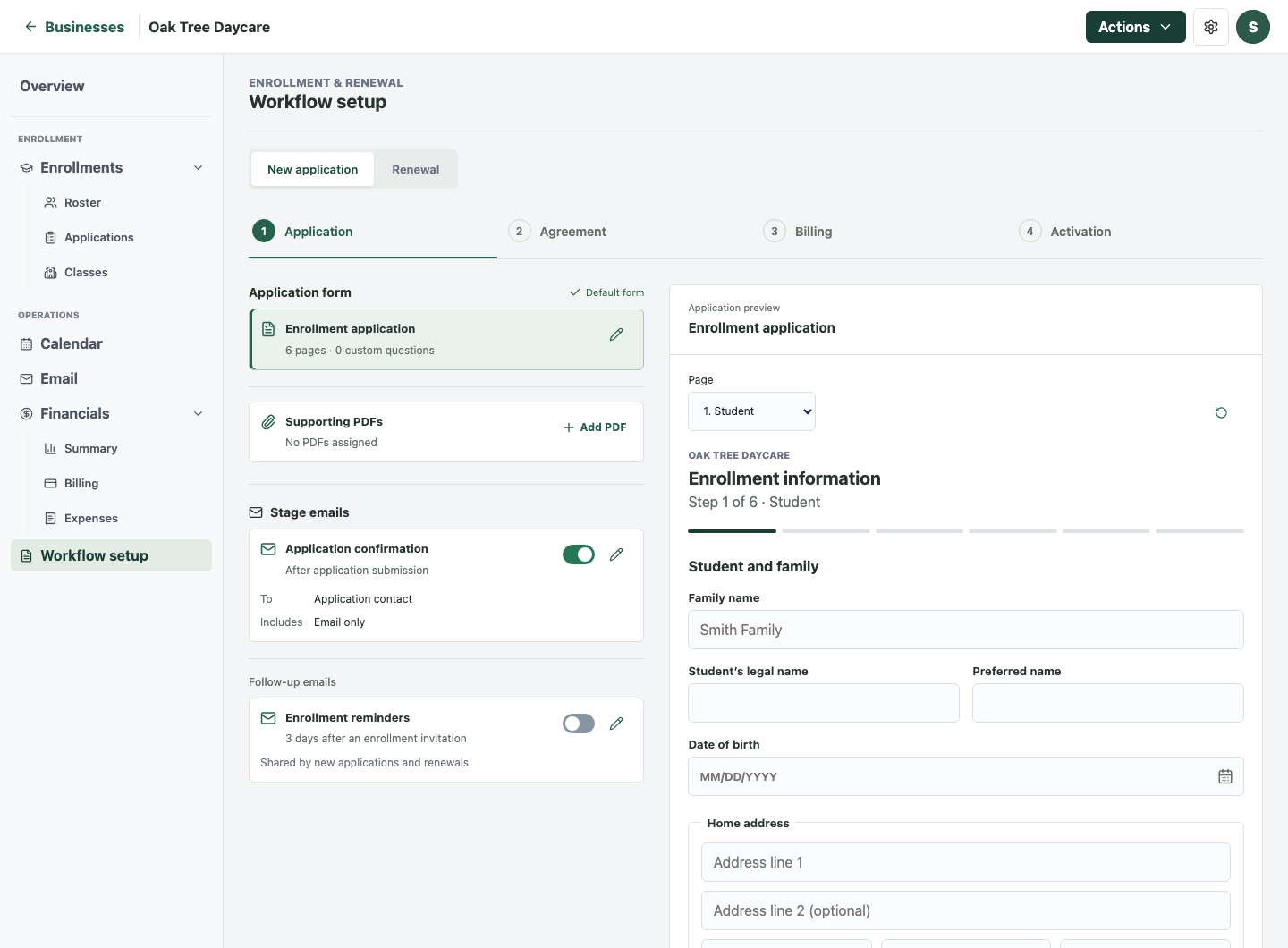
Configure applications, agreements, billing, and activation in sequence. Select a form or email to see its preview beside the settings.
 Enlarge
Actual EverydayTerms screens · Fictional demo records
Guided from the start
Start with business-specific defaults. Set your requirements, preview the result, and publish when you’re ready.
Customize what you collect. Enter the details yourself or invite families or tenants to apply online with Basic.
Connect your document fields to saved information, collect missing answers, and review before signing.
Set up rent or tuition, charges, and payment records. Add automated invoice workflows with Basic.
Review the requirements and start the lease or enrollment. Keep the details together for the next renewal.
Why EverydayTerms
The advantage is continuity: from the first detail you collect to the next renewal.
Turn your Word agreements into reusable templates inside the app. Start with static or fillable PDFs when that fits the job.
Use the rental worksheet for existing leases, rent, and deposits. Review a batch together and preserve its history without triggering messages.
Use the same navigation, previews, and guided stages across daycare and rentals, with records and terminology suited to each business.
Daycare. Rentals. One familiar workspace.