Your lease, with reusable fields.
Tag changing text directly in your Word document and connect it to saved information. Reuse answers across fields, preview the result, and assign signing roles.
Rental management
Your leases, from first application to final payment.
Customize applications, prepare your own lease documents, and track rent and deposits. Bring existing records with you and keep every lease’s history together.
Free to start. One account for your businesses.
Inside EverydayTerms
Keep today’s work clear while retaining the records that came before it.
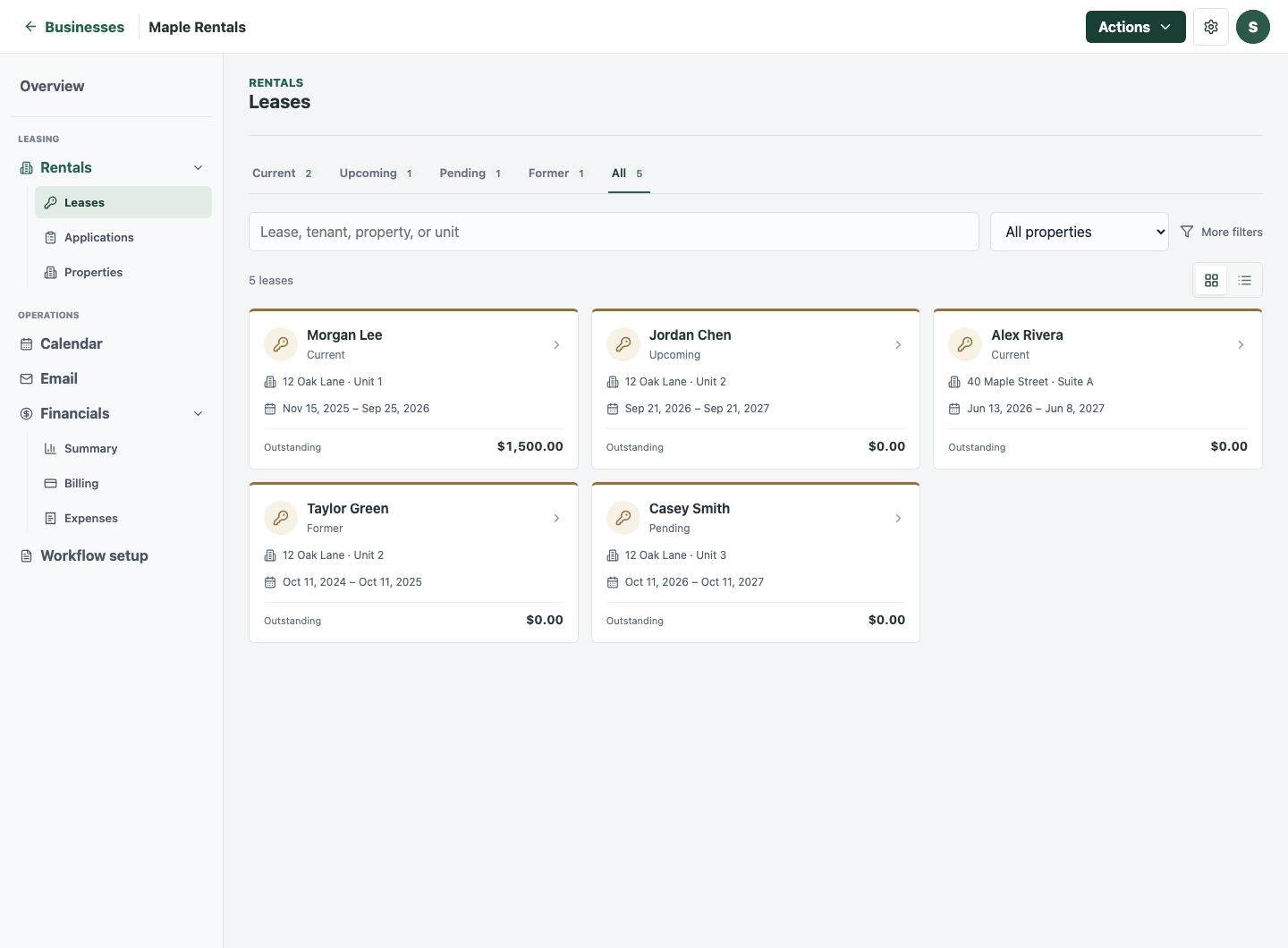
See the tenant, property, dates, and outstanding balance together. Switch between current, upcoming, pending, and former leases without losing their history.
 Enlarge
Actual EverydayTerms screens · Fictional demo records
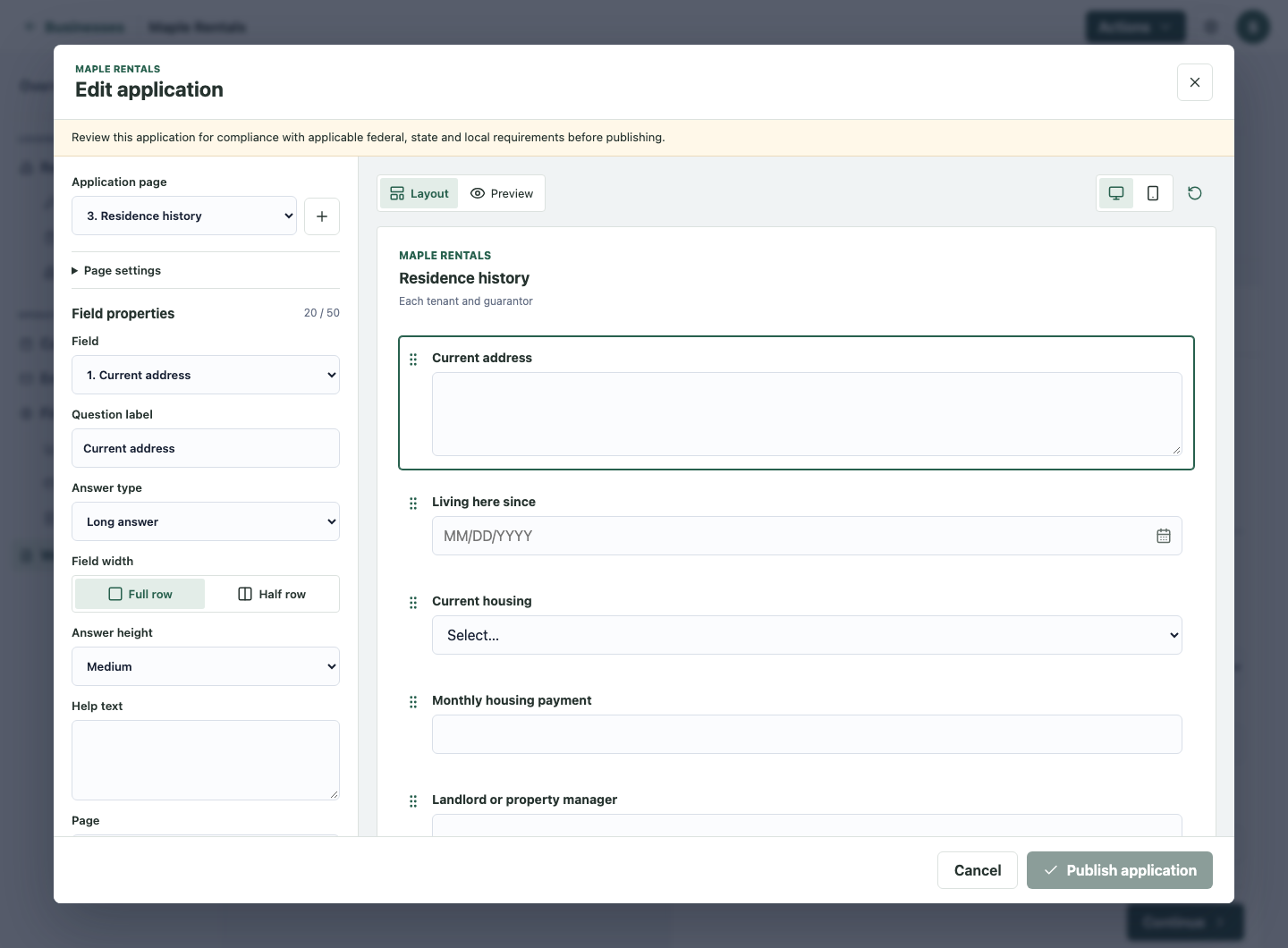
Arrange fields with drag and drop, change their width, and add your own questions and pages. Walk through the applicant’s preview before publishing.
 Enlarge
Actual EverydayTerms screens · Fictional demo records
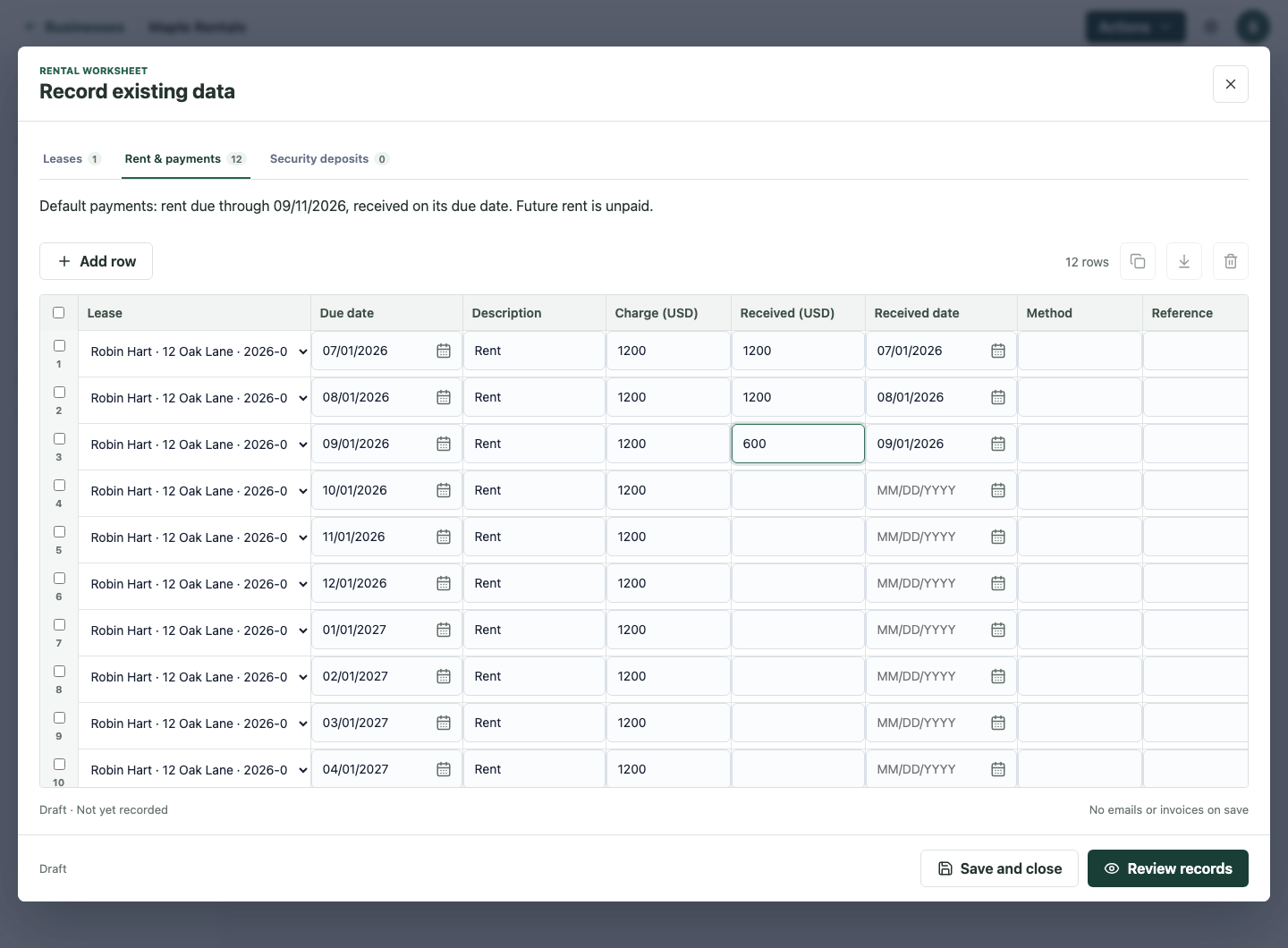
Enter or paste leases into a familiar table. Lease dates and rent fill the monthly rows for you. Adjust payments and deposits, then review the batch before saving.
 Enlarge
Actual EverydayTerms screens · Fictional demo records
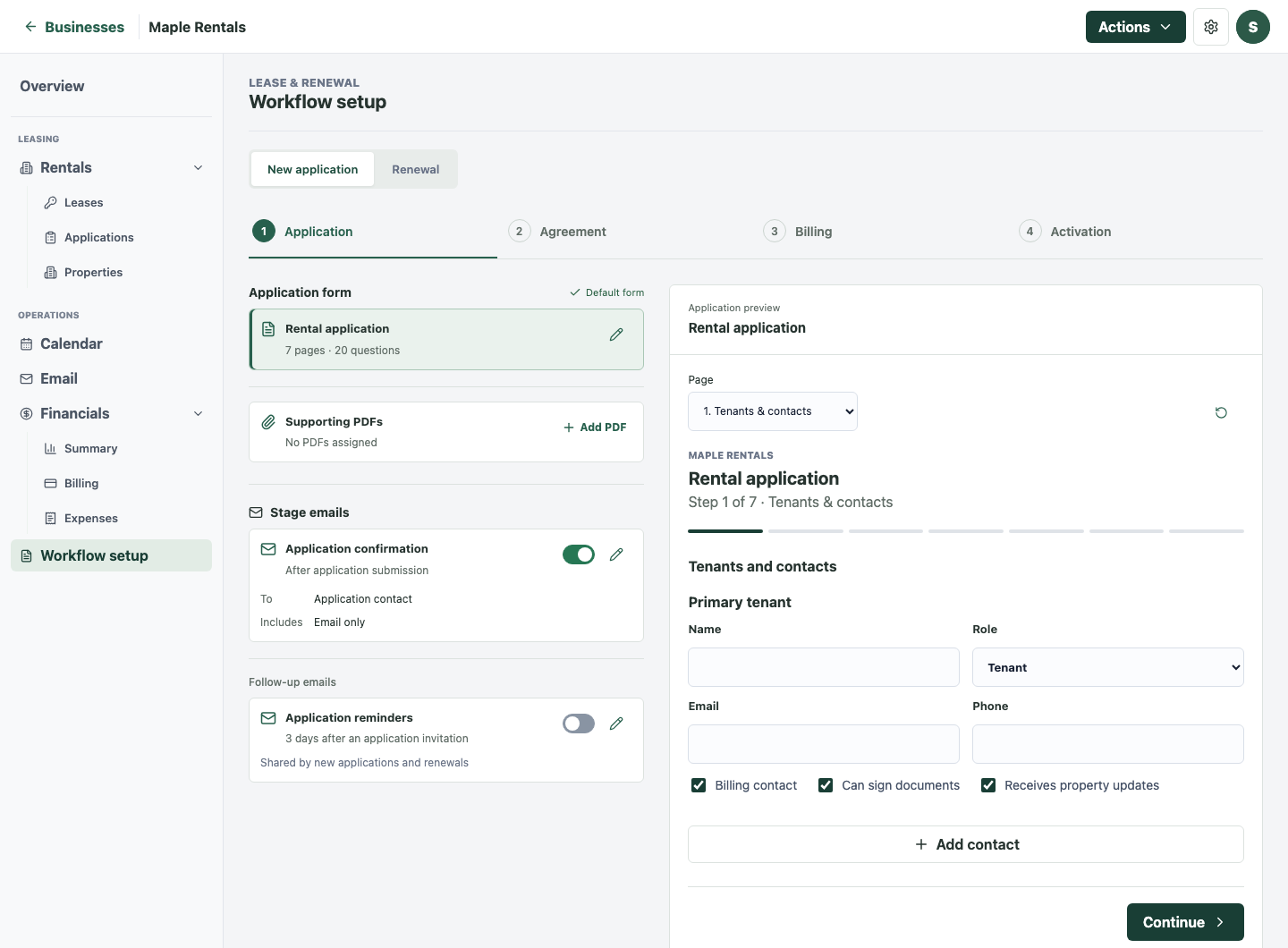
Set up the application, lease documents, billing, and activation. Keep application and renewal requirements separate, with previews alongside your settings.
 Enlarge
Actual EverydayTerms screens · Fictional demo records
Upload several receipt images or PDFs together. With Basic, AI suggests the details; you check the amounts, assign categories, and save the expenses you choose.
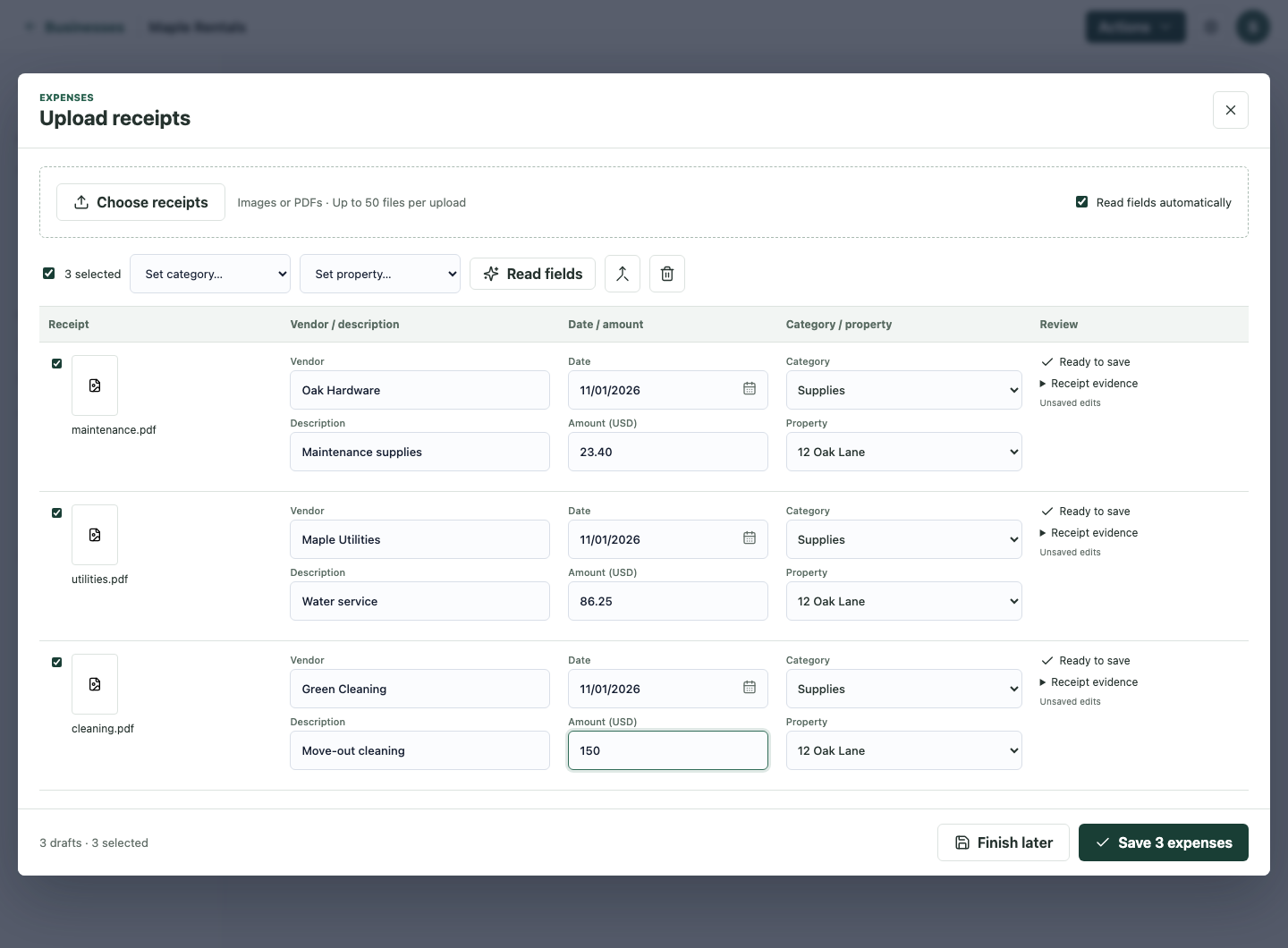 Enlarge
Actual EverydayTerms screens · Fictional demo records
Guided from the start
Start with business-specific defaults. Set your requirements, preview the result, and publish when you’re ready.
Customize what you collect. Enter the details yourself or invite tenants to apply online with Basic.
Connect your document fields to saved information, collect missing answers, and review before signing.
Set up rent, charges, and payment records. Add automated invoice workflows with Basic.
Review the requirements and start the lease. Keep the details together for the next renewal.
Built around the lease
Your own process, with the detail rental records need.
Tag changing text directly in your Word document and connect it to saved information. Reuse answers across fields, preview the result, and assign signing roles.
Start with rental application sections, then adapt the questions, pages, and layout. Preview the steps before sharing an online application with Basic.
Record deposits already held, new collections, and partial or full refunds. Keep a clear view of the balance held for the lease.
Record when money was received and allocate it to charges, including future rent. Track money reserved for the last month separately.
Separate current rental billing from ended leases. Bring past charges and payments into a worksheet without sending historical invoices or emails.
Upload receipts in batches, review their details, and assign expenses to properties. Export rental accounting records by received date.
Before you get started
Yes. Record a lease individually or use the in-app rental worksheet to enter or paste several current and ended leases. Dates and monthly rent populate the payment rows. Review default payments, adjust actual amounts and received dates, and approve the records together.
Recording existing data in the worksheet does not send emails or invoices. Existing lease records start with automations off. You decide when to enable automation for ongoing work.
Yes. The in-app Word editor lets you highlight changing text and link it to a field. Saved data can fill those fields during document preparation. Static PDFs and fillable PDFs are also supported, with PDF field setup and electronic signing through DocuSeal.
Yes. Adjust the application pages, questions, order, and layout, then preview it. You choose which information to request and remain responsible for making the application appropriate for your location and requirements.
Yes. Free includes manual entry, agreement preparation, payments, and rental records. Basic is $5 USD per month and adds online applications, automated emails and billing, and AI receipt extraction. Usage limits apply to both plans.
Daycare. Rentals. One familiar workspace.